

AndRovio
by Poignant Projects
Operate your WowWee Rovio robotic webcam from anywhere with AndRovio!
AndRovio
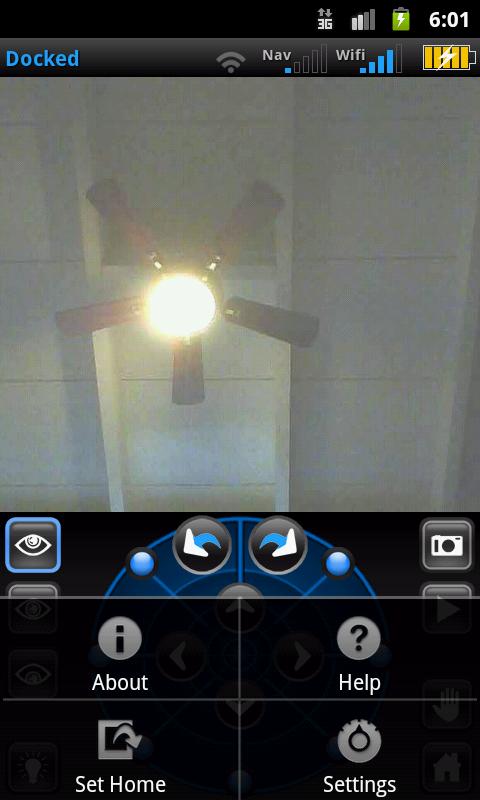
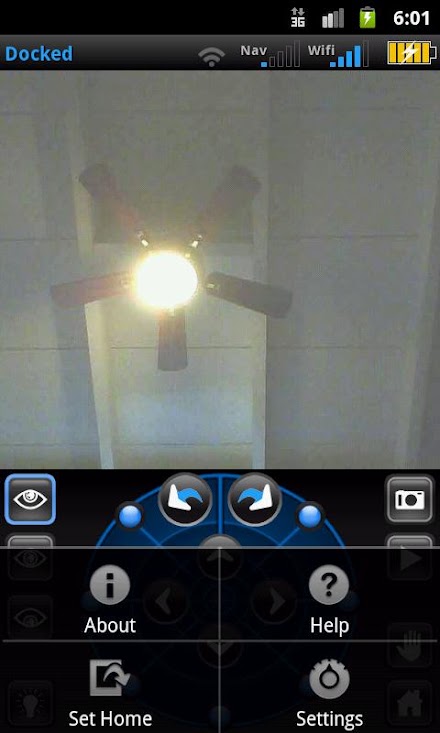
Check on the house (or chase the cat around) while waiting in line or relaxing at the beach!Enhanced Features include:- Full motion, camera arm & headlight control- Playback of pre-recorded paths- Trigger Rovio snapshot function- Panic button to stop all activity- Video brightness booster- Video aspect ratio controls in both portrait and landscape mode- Option to save snapshots to SD card- Option to automatically set maximum image size & quality during snapshots, then restore to previous settings for normal use- Add a second URL/port and toggle between them- Command HUD shows overlay text when commands are sent to your Rovio* Poignant Projects is not affiliated with WowWee Group Ltd.- On-screen menu button (3 dots on right side of Rovio status bar)- Updated SDK & support libraries- Removal of Google Analytics
About AndRovio
- Package name (App ID)
- com.poignantprojects.androvio
- Available on
- Google Play
- Price
- Free
- Version
- v1.2.3
- Updated
- August 15, 2018
- Developer
- Poignant Projects
Looking for the AndRovio APK?
The safest way to get AndRovio (com.poignantprojects.androvio) on your Android device is to install it directly from Google Play — you'll always get the latest official version, automatic updates, and no risk of modified or infected APK files from third-party sites.

Gaming Features
Enjoy immersive gaming experience with various game modes.
Camera Features
Advanced camera features with editing capabilities.
Food & Dining
Discover recipes and order food from your favorite restaurants.
See AndRovio in Action


What Our Users Say
Don't just take our word for it. Here's what our users have to say about this Android app.
"Not working. Give me back my money."
"Very bad.not work"
"No documentation with this app. I contacted developers with questions, no answer. I guess that we are all supposed to know, in advance, how to configure the IP addresses in their software. A complete waste of money. I would sue if I could find them."
"Hi. Im happy to use it. But in my samsung note 5 cant see settings becouse in note 5 not present this button.. can you make addition button settings or tell where i can change IP and port in some file in rovio .apk in android??? Thx."
"Thank you for making this freakin rocks :) this is just fantastic"
"When open this app, screen free, can't touch, no action with message go to seting connect to device, that it. Can't touch because free screen. no activitive. Please refund. Thank you."
"It lacks a few hacks avaliable big one being head angles! and audio dosent work but implement them and u have a great app. Please update the app with more features make it great"
"Greetings... Not many of us probably still use the rovio but I still love it. Very cool to be able to access a remote mobile camera at home whenever I want. I just upgraded to a Samsung S5 and it has the new android software, I believe it is KitKat. Problem is that I cannot get to the androvio settings anymore. It use to be a hard key on my old phone but has moved to a vertical ellipse soft button but androvio does not seem to support this. Mr. Developer, can you add a button to your app that will bring one to the settings screen? **Update. Found that long pressing the left hard key yields the same result as the old settings key"
"I upgraded my cell to my LG MS 395 and now I can't update or change my setting in androvio. Developer please help update this please."
"Junk junk junk junk junk junk junk. And did I say junk junk junk."
Frequently Asked Questions
Is AndRovio free?
Yes, AndRovio is free to download and install on Android through Google Play.
How do I install AndRovio on Android?
Open Google Play on your Android phone or tablet, search for AndRovio by Poignant Projects or tap the Google Play button on this page, then tap Install. The app downloads and installs automatically.
What is com.poignantprojects.androvio?
com.poignantprojects.androvio is the App ID (package name) of AndRovio on Google Play. Every Android app has a unique package name, and it is the safest way to verify you are installing the official app.
Is AndRovio safe to download?
Installing AndRovio from Google Play is the safest option: you get the official version published by Poignant Projects, verified by Google Play Protect, with automatic updates. Avoid APK files from unofficial third-party sites.
Get AndRovio Today
AndRovio for Android — free download on Google Play.
Compatible with Android phones and tablets — available on Google Play.
Ask AI about this app
Get instant answers about features, tips and more from popular AI assistants.